Overview
GetPasto is a restaurant management product built and sold by CircleCodes on CodeCanyon. One system runs the whole restaurant: a point of sale for the counter, online ordering for customers, reservations, a kitchen and display view, menus, staff, reports and settings.
I worked on it as a frontend developer at CircleCodes.
The challenge
A restaurant is several businesses happening at once, and each needs its own interface:
- Six roles, six views. Customer, Admin, Manager, POS Operator, Kitchen and Display each see a different app, but they all work on the same live orders.
- The counter can’t slow down. Taking an order at the POS has to be quick, even with variants, add-ons, dietary notes and discounts.
- Orders move through stages. An order passes from pending to processing, ready, on delivery and completed, and everyone needs to see where it is, in real time.
- It’s a product, not a one-off. Because it’s sold to many restaurants, every business rule (taxes, order types, currency, languages, payment methods, opening hours) has to be a setting, not code.
The solution
Dashboard
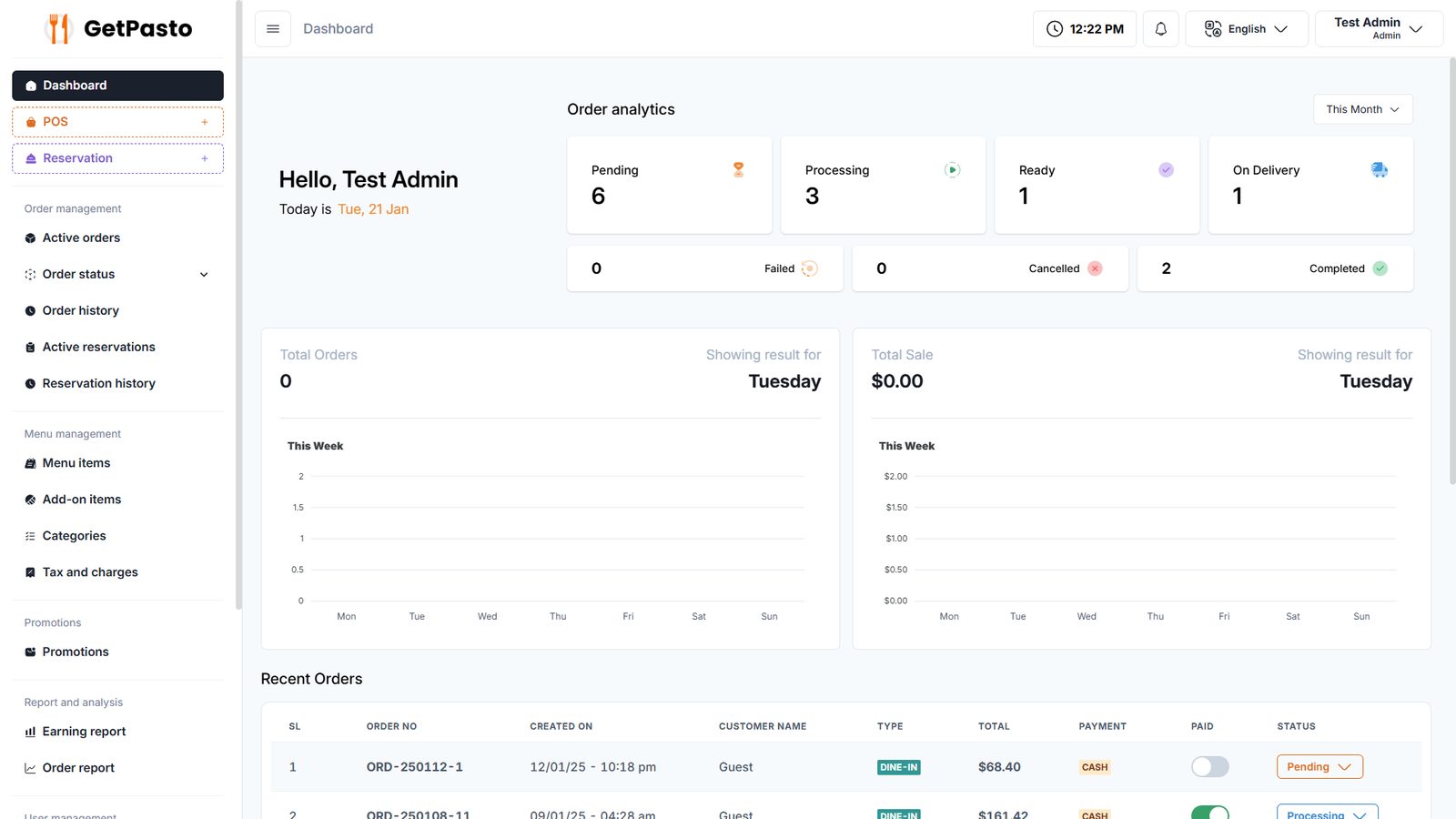
The admin home shows order analytics for today, this week, this month, this year or all time. It lists counts by stage (pending, processing, ready, on delivery, failed, cancelled, completed), weekly order and sales charts, and the latest orders and reservations.
Point of sale
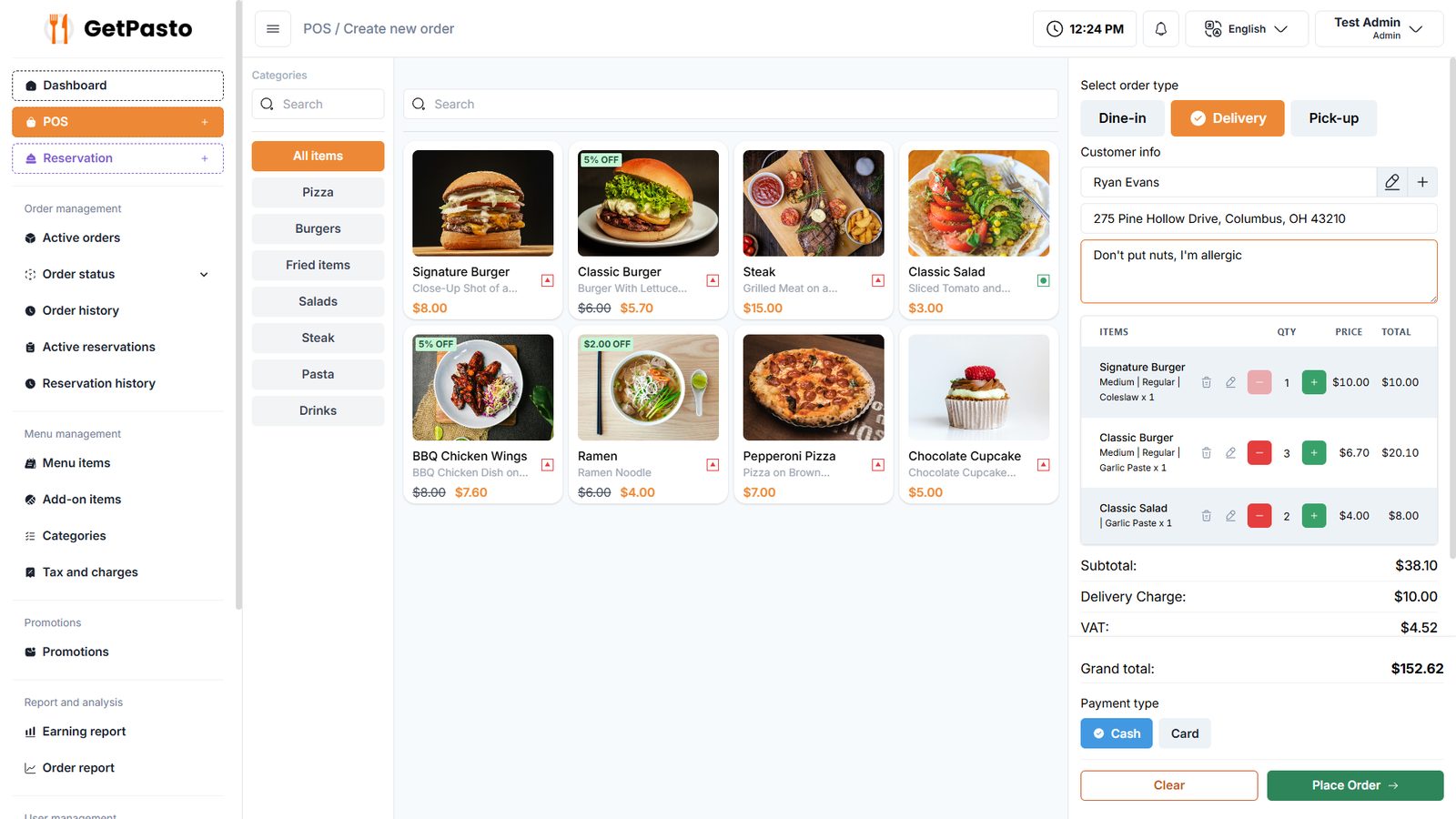
The POS is built for speed at the counter:
- browse by category, or search products
- choose dine-in, delivery or pick-up
- add a guest or an existing customer, and edit their details without leaving the order
- add dietary notes such as “Don’t put nuts, I’m allergic”
- see the cart with variants, quantities, subtotal, delivery charge, VAT and grand total
- pay by cash or card and place the order
Live orders
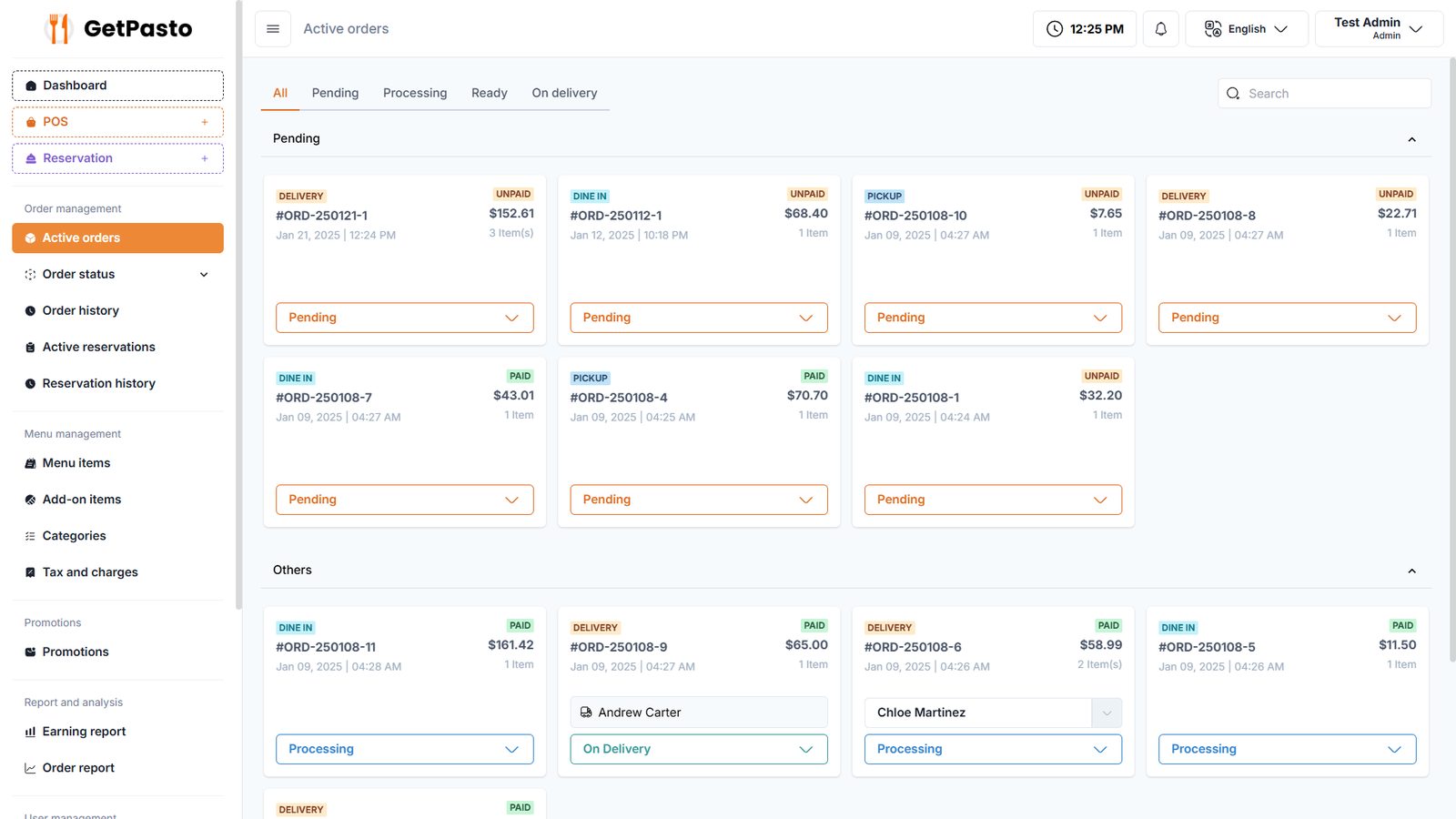
Active orders appear as cards grouped by stage, with tabs for each stage and search. Each card shows the order type, payment status, total and item count, a status dropdown to move it forward, and the assigned delivery person once one is set. Order history adds filters, invoice printing and export.
Reservations
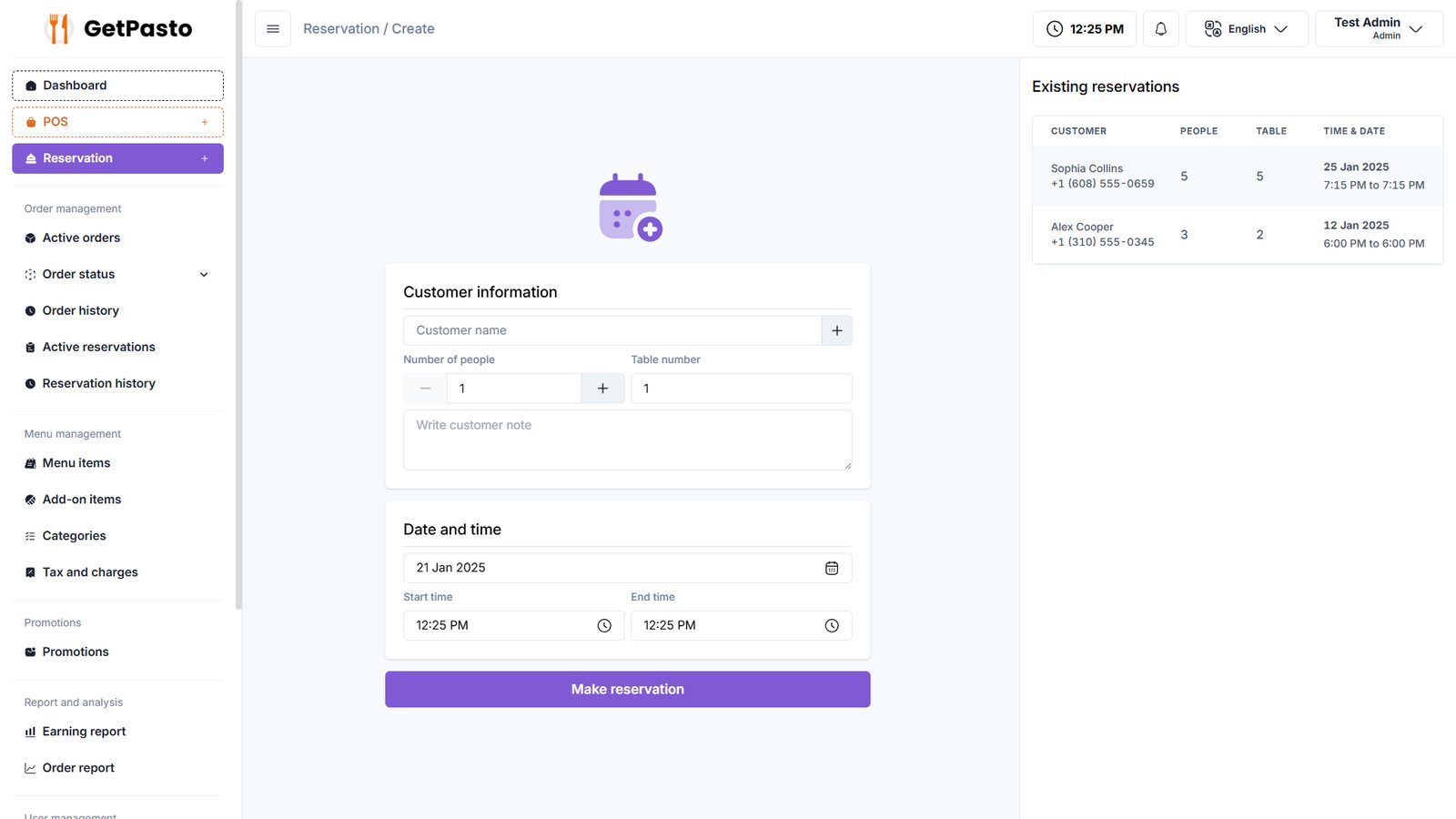
Staff create a reservation from one screen: customer, number of people, table, date and time. The existing reservations for that period are listed alongside to avoid double-booking. Reservations then move through their own stages, with search, filter and export.
Menu management
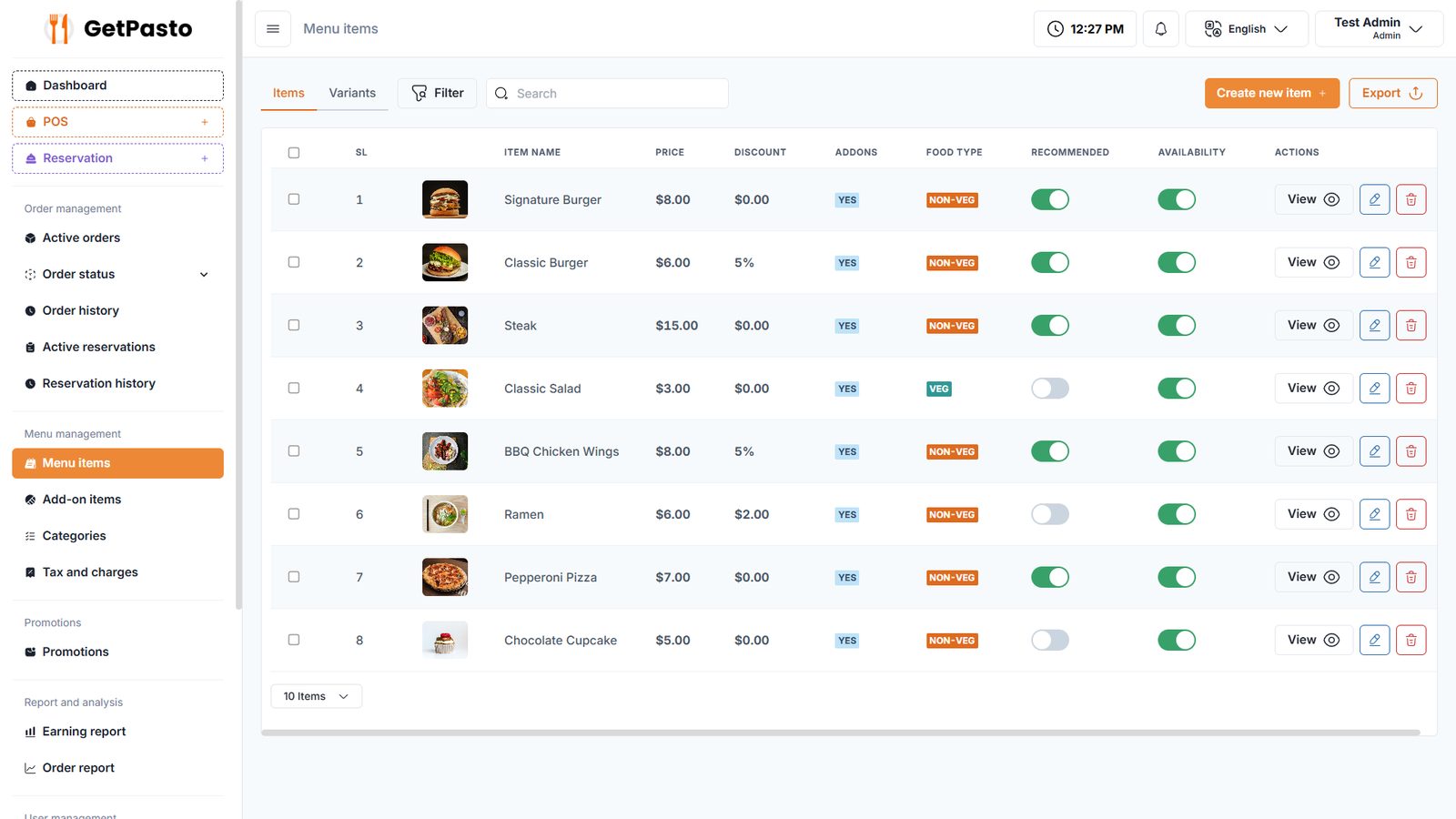
Menu items have prices, discounts, add-ons, variants, veg or non-veg labels, a recommended flag and an availability toggle. Categories, add-ons, and tax and charges (percentage or fixed) are managed the same way, all searchable and filterable.
Customer storefront
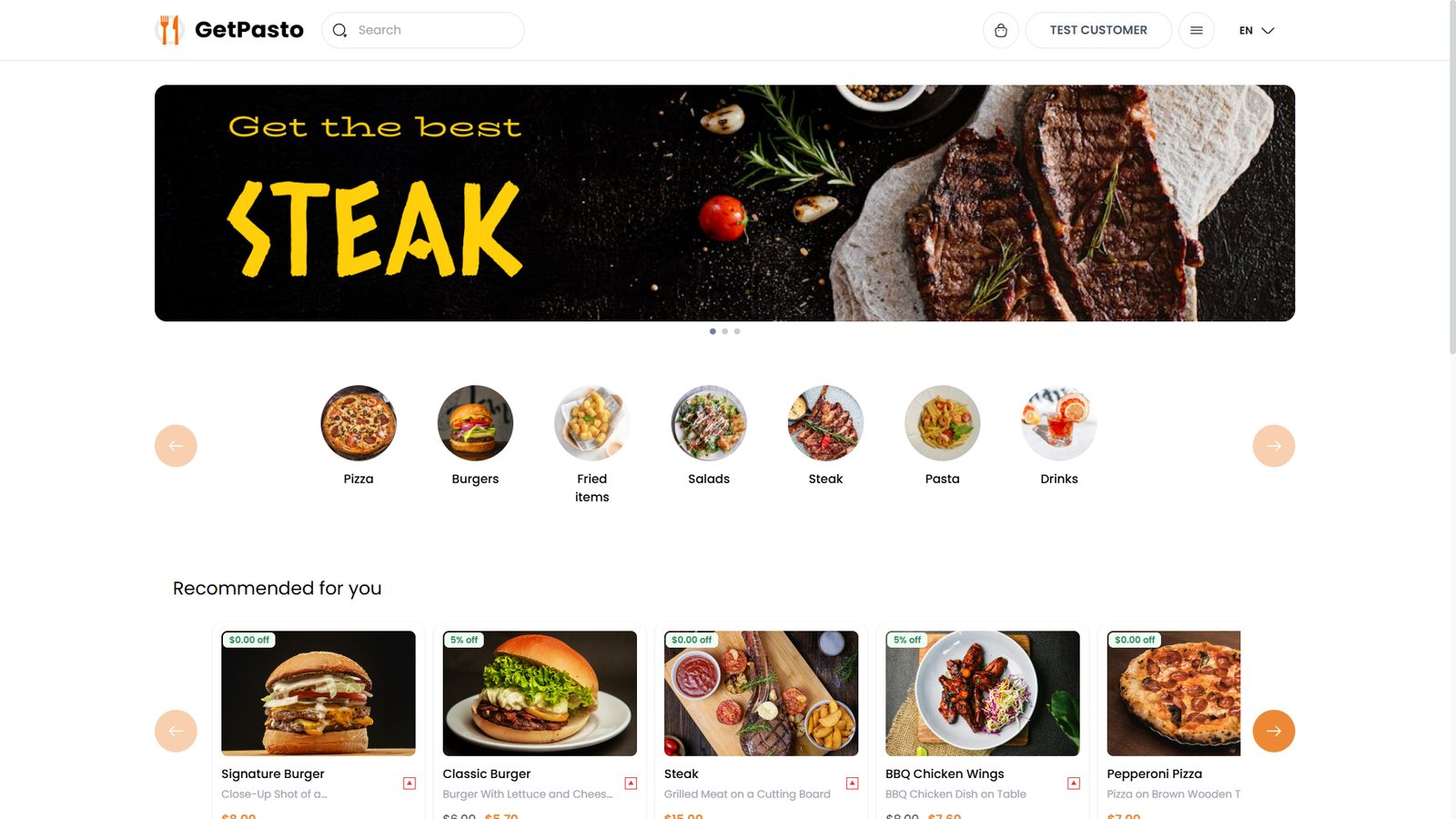
Customers get their own ordering site:
- a promotional slider and category shortcuts
- Recommended for you dishes, and search
- pick-up or delivery, with dietary notes
- My Orders for live order tracking, online payment and invoice downloads
Reports and settings
Earning reports show monthly sales and tax collected, and order reports break orders down by status, delivery person and most-ordered products. Settings cover:
- business details, time zone, currency and order types
- customer verification and maintenance mode
- extra pages (About, Terms, Privacy), theme and opening schedule
- languages and payment methods
Key features
- Six role-based views: Customer, Admin, Manager, POS Operator, Kitchen, Display
- Fast POS with dine-in, delivery and pick-up, variants, add-ons, notes and discounts
- Real-time order stages, delivery assignment, invoices and export
- Reservations with a side-by-side view of existing bookings
- Menu, category, add-on, variant, tax and charge management
- Customer ordering site with live order tracking and online payment
- Earning and order reports
- Multi-language and configurable payment methods
- Works on all modern browsers and devices